Seedream 5.5 AI Image Generator and Editor: edit after edit, the rest of the picture stays put
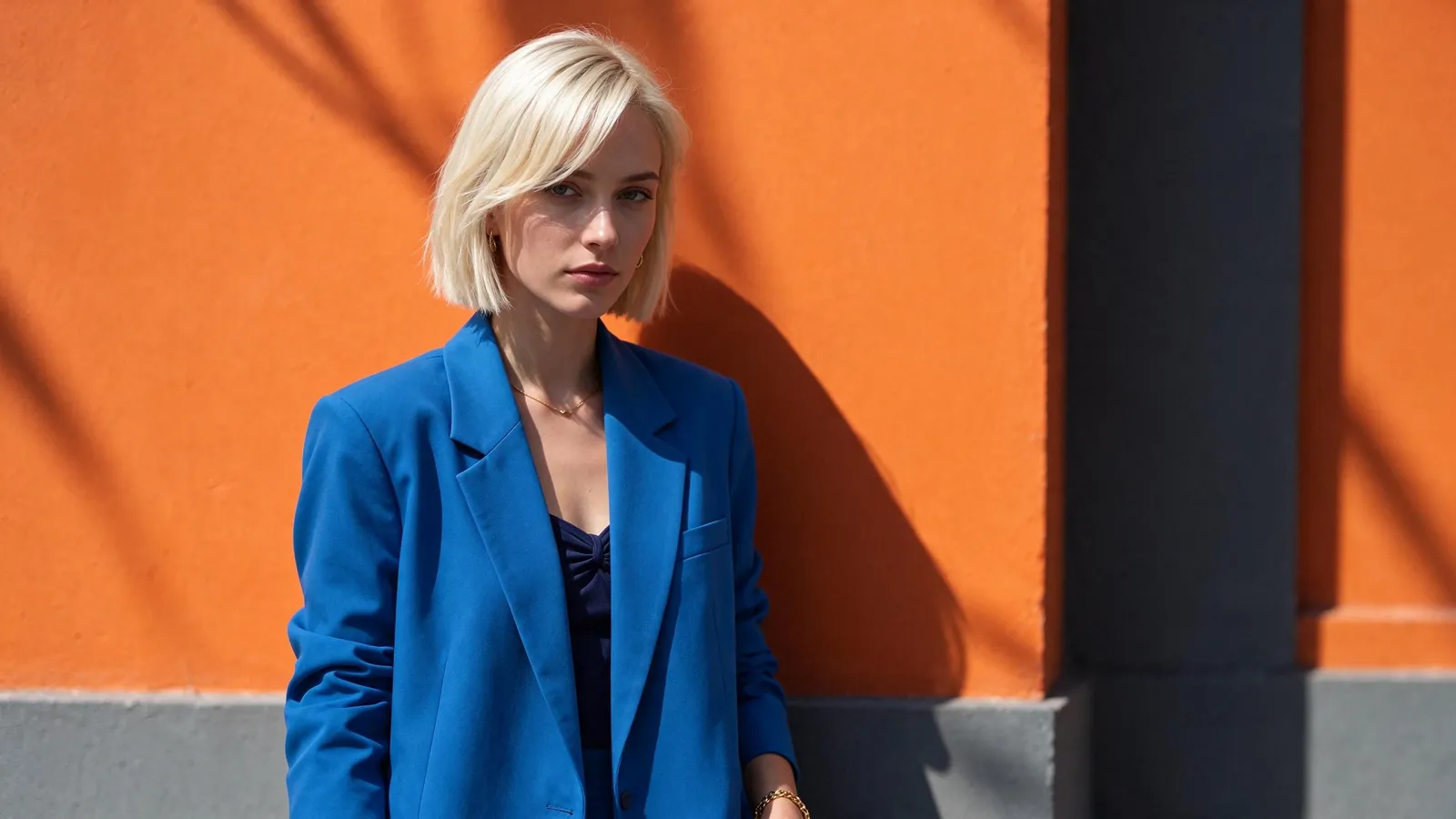
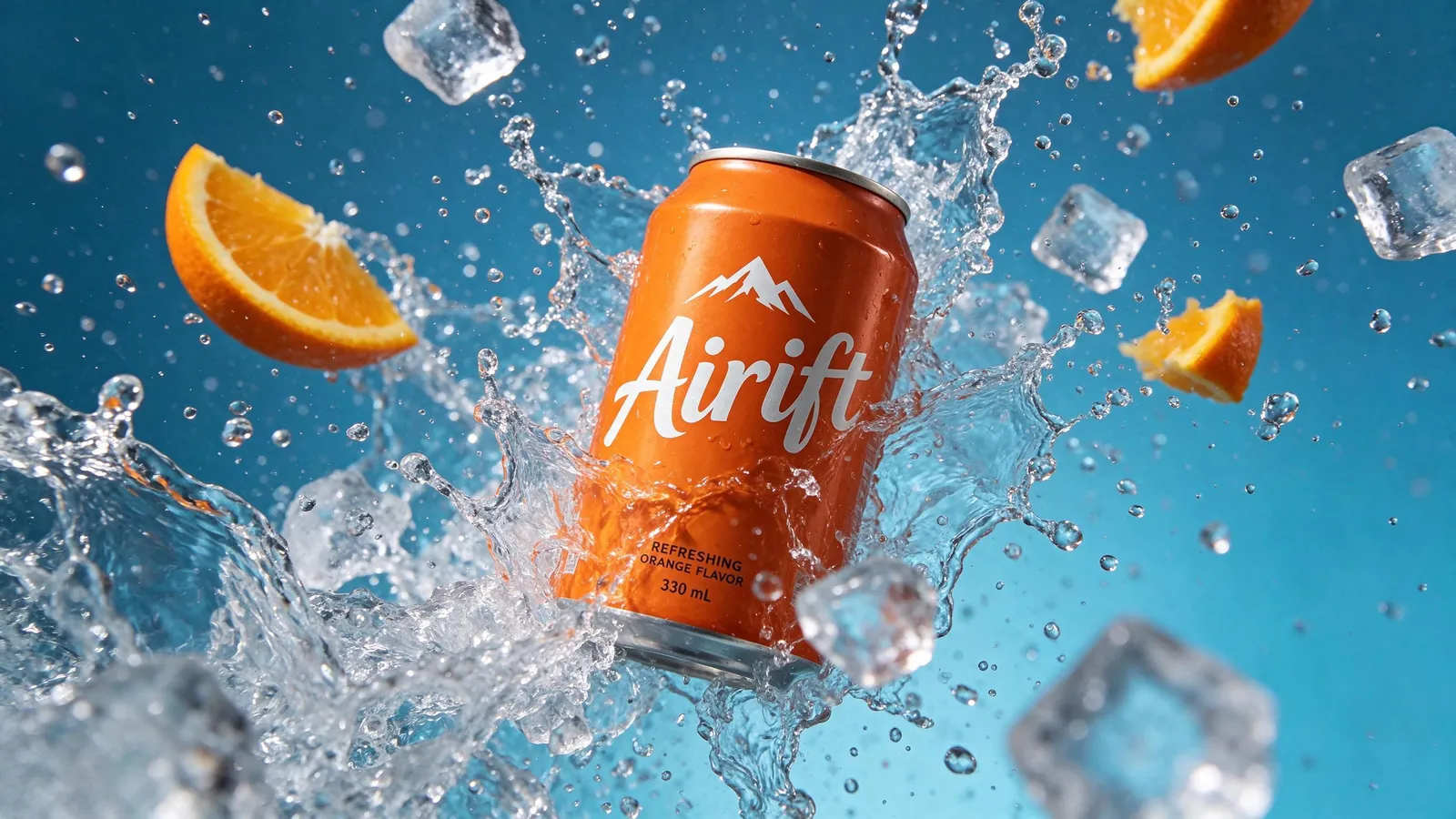
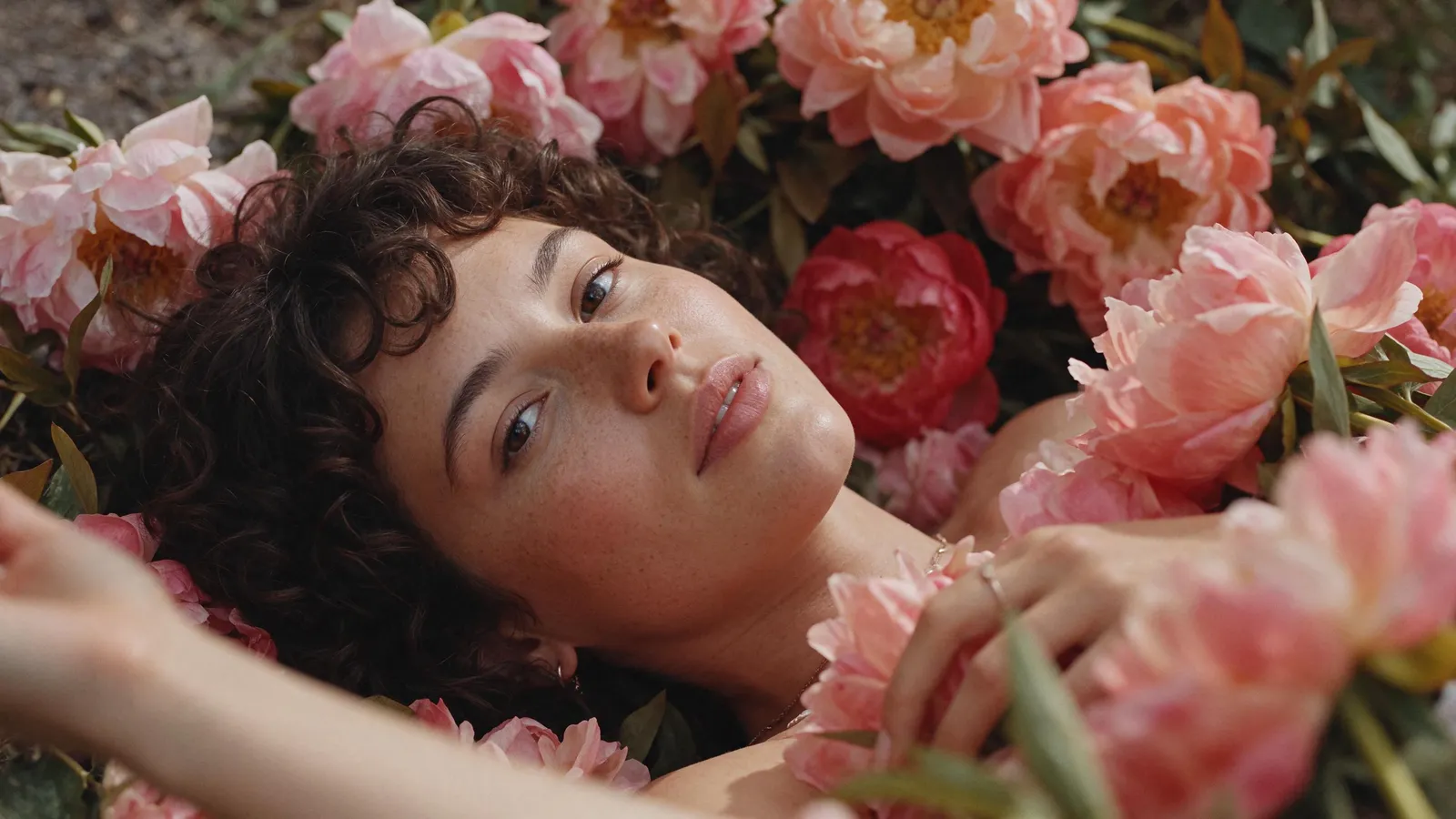

ByteDance's newest image model: it changes what you ask for and leaves the rest of the picture as it was. Under a minute. Start free, no card: 20 credits make 10 images. Then $12 buys 100 more, or anything else on Airift. No subscription. The exact price is on the button.
Free, no card: 20 credits make 20 images like this · AI output labelled
Examples · Use template fills the desk
Made with Seedream 5.5 in Airift
Real output from the engine, labelled, from a sample photo or prompt.
Key features of Seedream 5.5
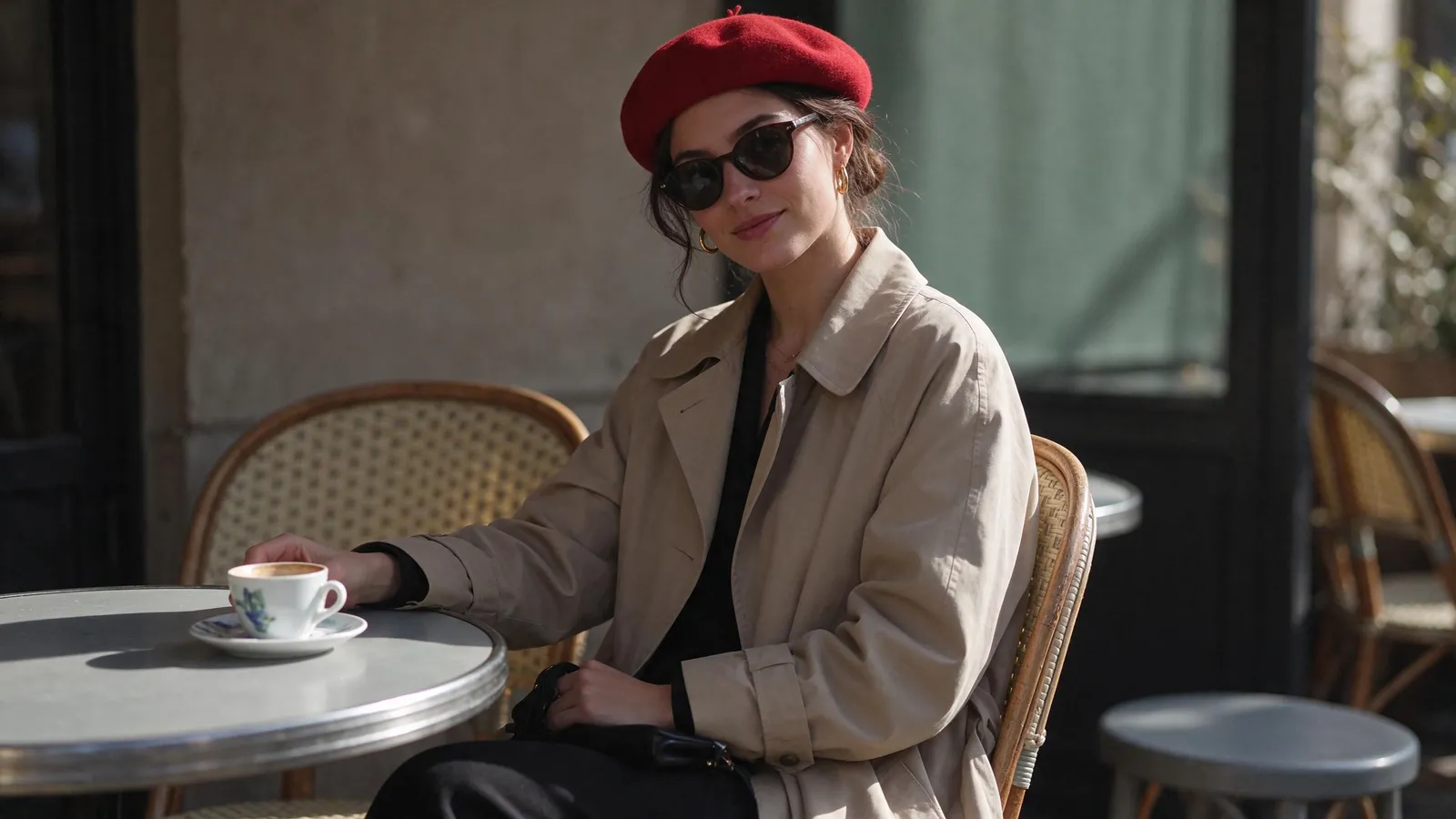
Edit the same photo again and again
Each result lands in your library, ready for the next instruction. Here round one removes the red beret and round two turns the trench coat into a green leather jacket; her face, the sunglasses, the cup and the café are the same in both. Seedream 5.5 is built for this: the parts you did not mention stay as they were.
Typed with the photo“Remove the red beret”
Try it in the Photo Editor
Change the background, keep the subject
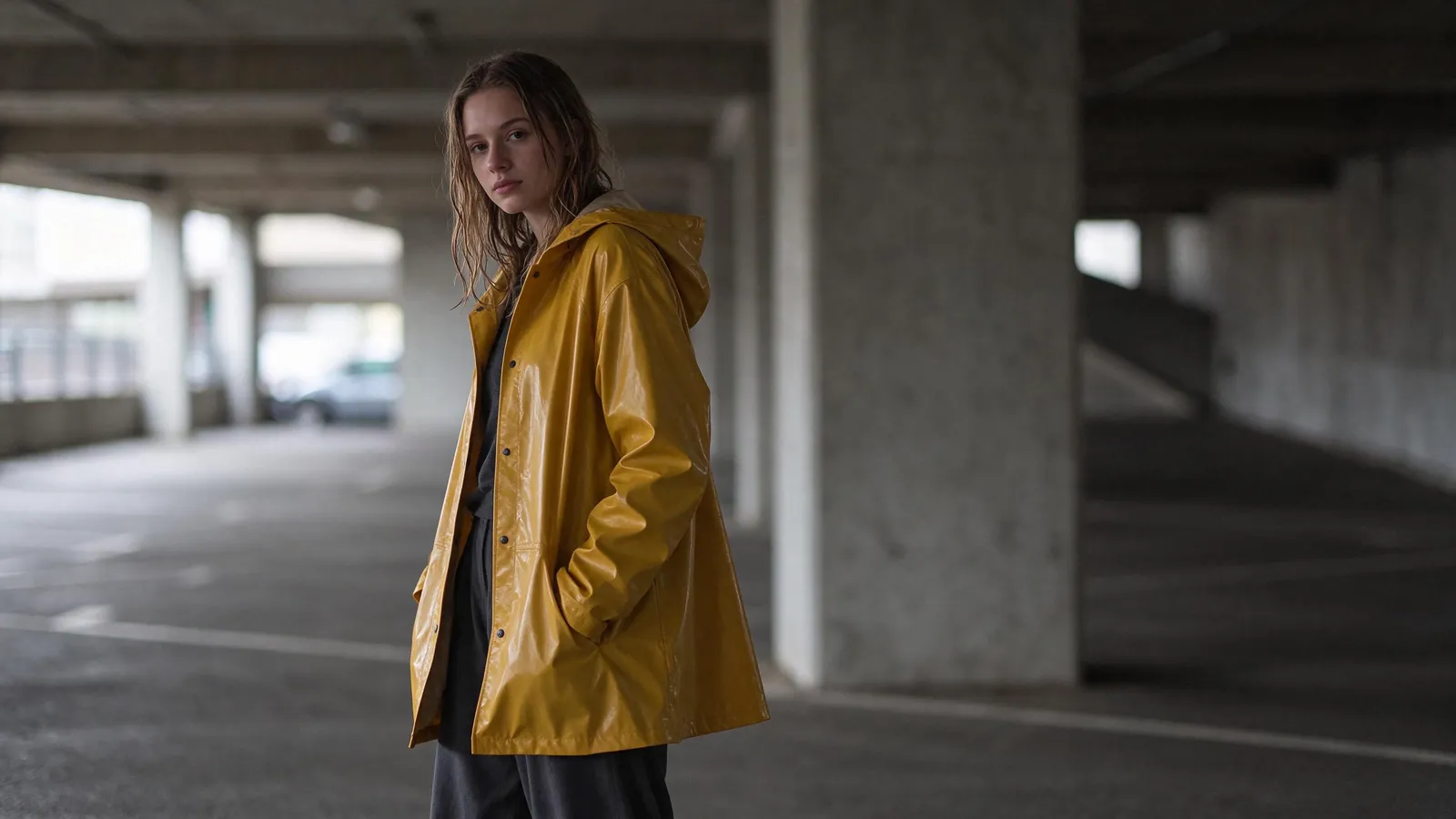
Pick a backdrop or describe your own, and Seedream 5.5 redraws what is behind the subject. Here a portrait leaves a grey car park for a neon street at night: the yellow raincoat, the pose and the face are the same, and the light on her now comes from the signs. Useful for portraits, product shots and profile pictures.
Try it in the Background Changer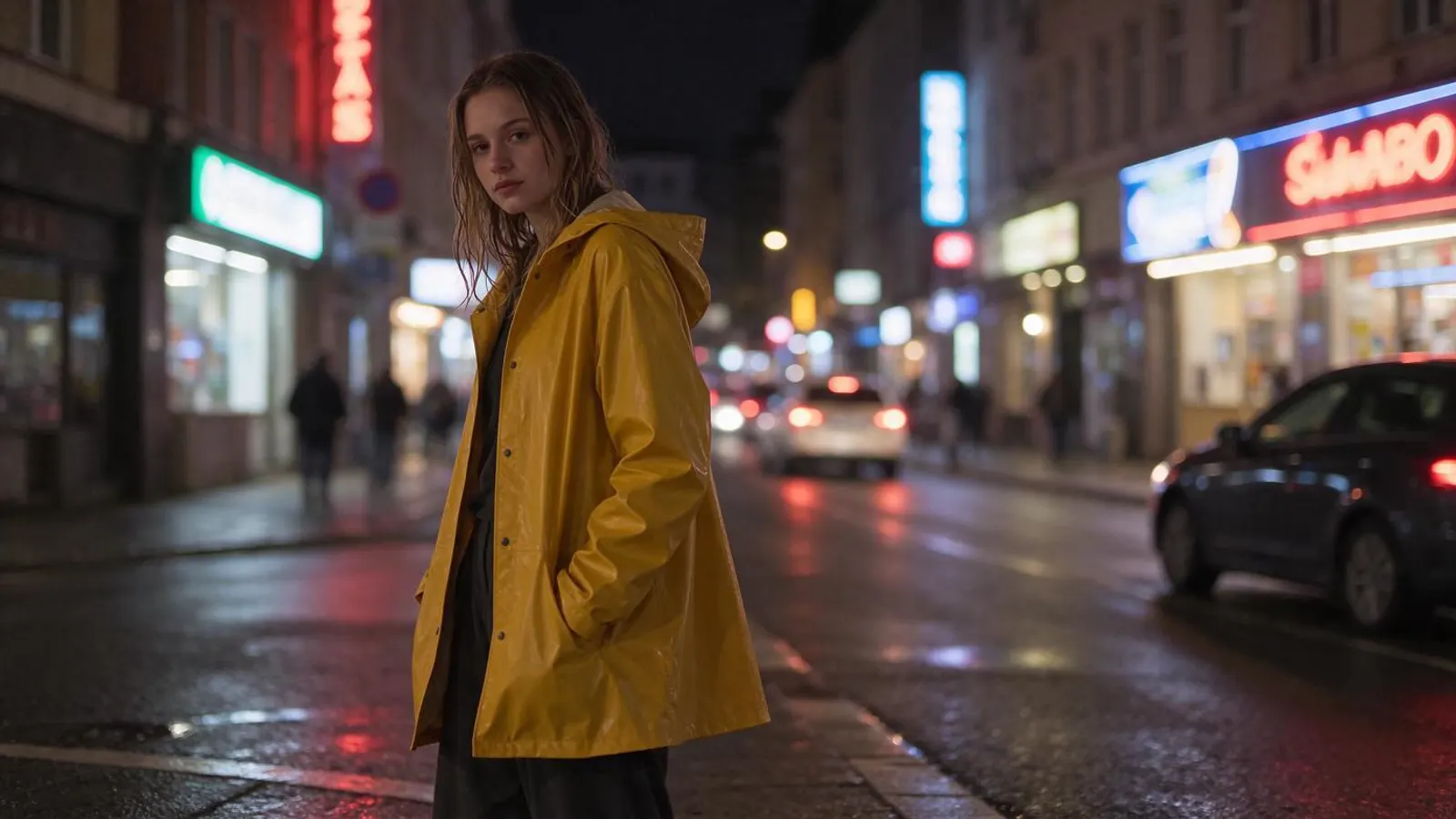
Remove an object and fill the gap
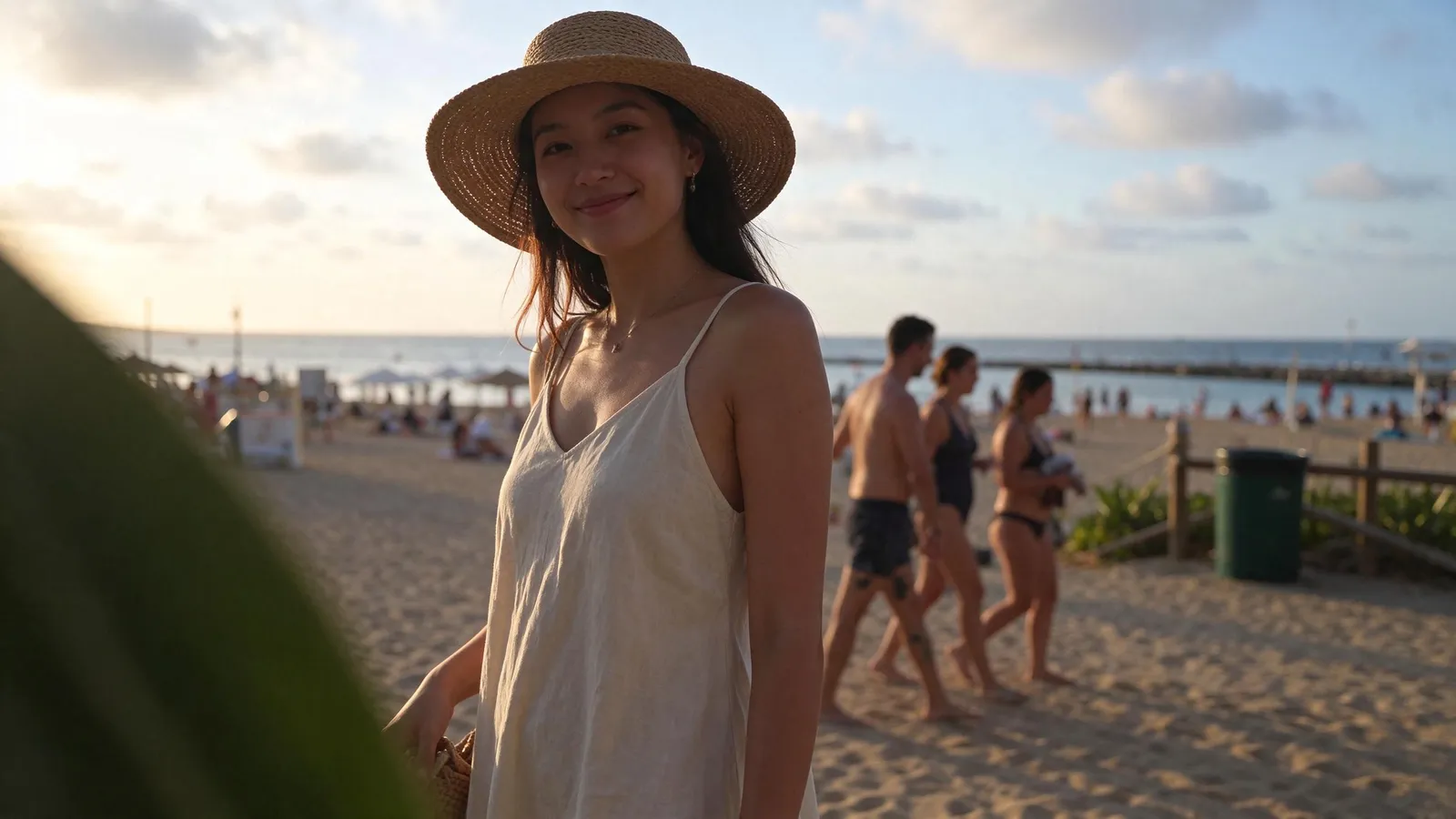
Name the thing to take out in a few words. Seedream 5.5 removes it and paints in what would be behind it, matching the light and the perspective. Here the passers-by and the bin are gone from a holiday photo, and the sand, the fence and the sea continue where they stood.
Typed with the photo“the tourists and the green bin behind her”
Try it in the Object Remover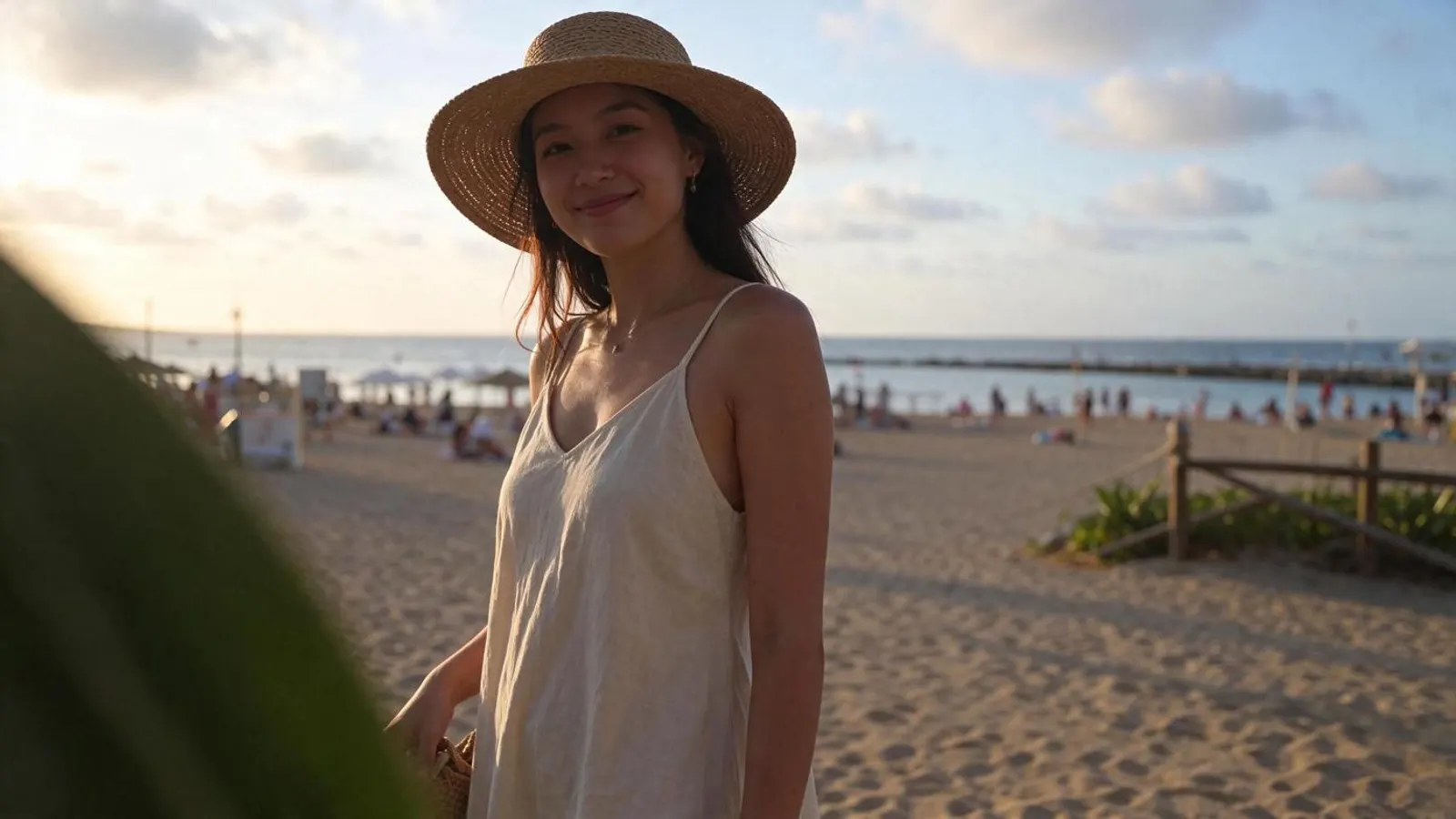
Change the material, keep the shape
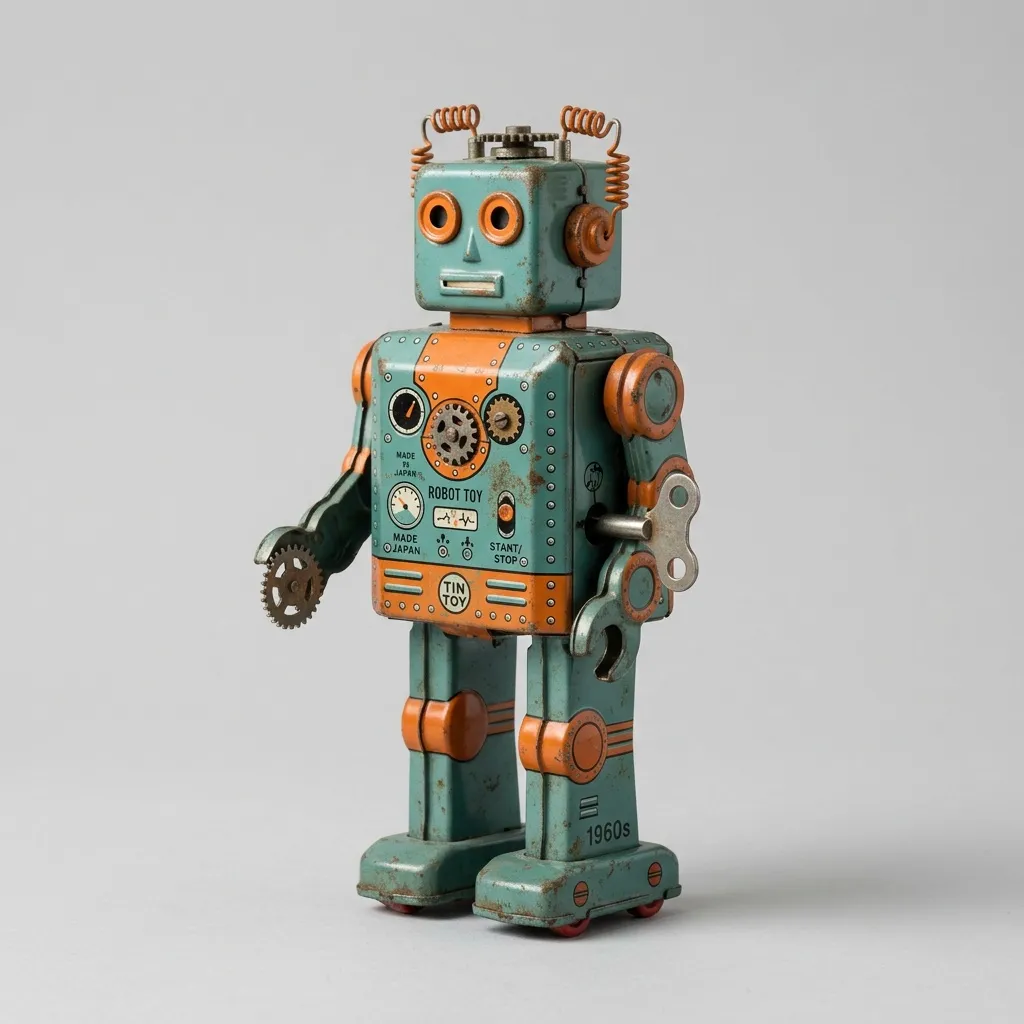
Describe a new material, colour or finish for one thing in the photo. Here a tin toy robot becomes ruby-red crystal: the pose, the gears on its chest and the grey backdrop stay where they were. Use it to try a product in another finish before it exists.
Typed with the photo“Turn the tin robot into transparent ruby-red crystal glass, keeping its shape, its pose and the grey background”
Try it in the Photo Editor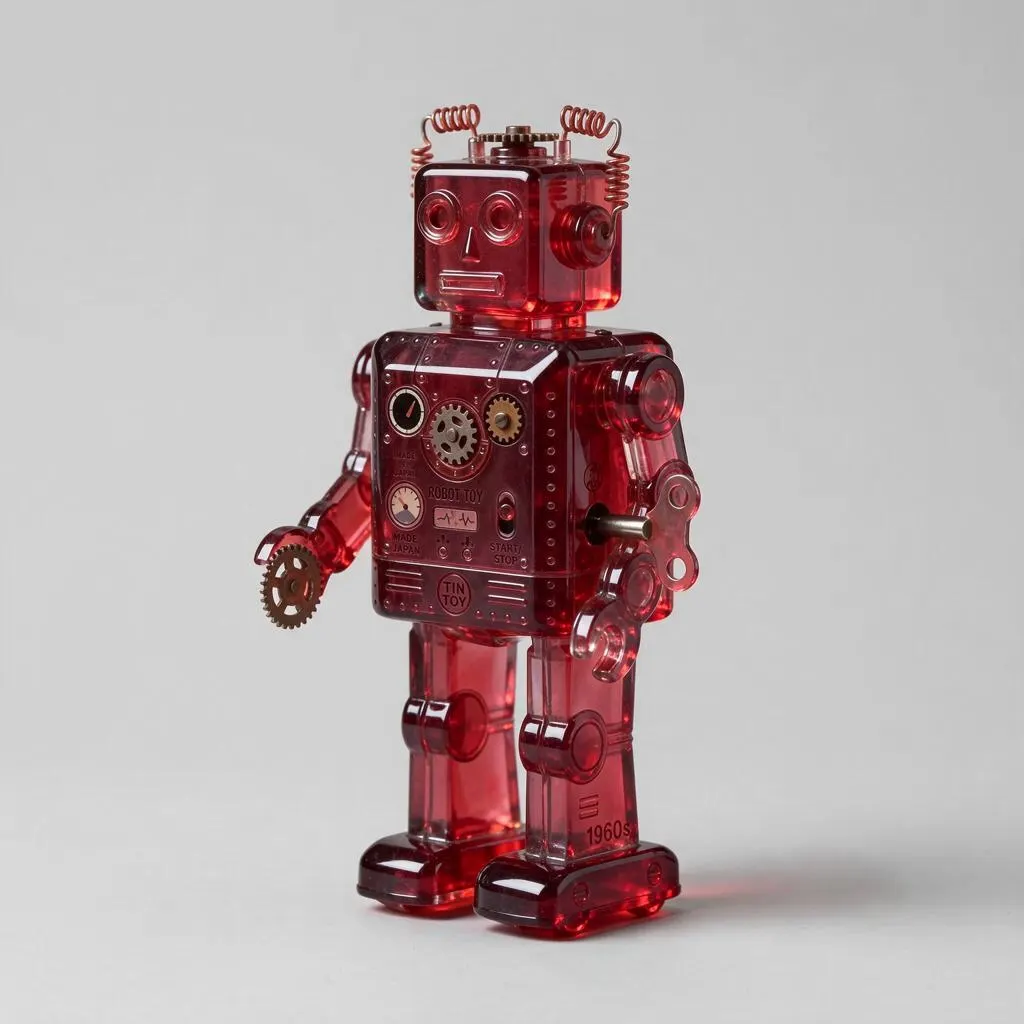
Put readable words in the picture
Write the exact words in your prompt and Seedream 5.5 sets them in the image. This magazine cover came from one prompt that asked for a masthead and two cover lines, and all three read as written. Use it for posters, covers, labels and social cards.
Typed“A fashion magazine cover. The masthead AURA in large white serif capitals across the top. A woman in an orange silk suit with slicked-back dark hair looks into the camera against a deep teal backdrop. Cover lines on the …”
Try it in Text to Image
Why Seedream 5.5
Consistent · Unedited areas stay put · Plain-language edits · Lowest cost
ByteDance's newest image model: it changes what you ask for and leaves the rest of the picture as it was.
From 1 credit
photo · One edited photo (1K): 2; photo · One edited photo (2K): 2; text · One picture (1K): 1; text · One picture (2K): 2 credits. Failed jobs are refunded.
Under a minute
Typical time per job, longer at busy times. Jobs keep running if you leave the page.
Labelled, private
Every result says it was made with Seedream 5.5 and stays in your own library.
Seedream 5.5 vs Nano Banana 2.1 vs Seedream 4.5
Figures are what each model does and costs in Airift today.
| Seedream 5.5 | Nano Banana 2.1 | Seedream 4.5 | |
|---|---|---|---|
| Made by | ByteDance | ByteDance | |
| Works from | a photo or a sentence | a photo or a sentence | a photo or a sentence |
| Sizes | 1K, 2K | 1K, 2K, 4K | 2K, 4K |
| Price | 2 credits per image | From 2 credits per image at 1K | 2 credits per image |
| On the free credits | 10 images | 10 images | 10 images |
| Typical time | Under a minute | Under a minute | Under a minute |
How to use Seedream 5.5 online
- 1
Add your photo
The desk above is pinned to Seedream 5.5: add a photo, or write a sentence, and it switches.
- 2
Say what to change
The credit price on the button updates as you change the settings.
- 3
Generate
The result lands in your library, labelled with the engine.
What Seedream 5.5 costs in Airift
Start free, no card: 20 credits make 10 images. Then $12 buys 100 more, or anything else on Airift. No subscription. Credits are one wallet for every Airift tool, and a failed job returns its credits.
Your first 10 images
Free
- 20 credits when you confirm your email
- 2 credits per image; the rest stay for any tool
- A small Airift mark on the result
- No card
More with Seedream 5.5
$12
- 100 images (200 credits), $0.12 per image
- Or 6 Hug videos, 40 photo edits or 22 Kling 2.5 Turbo clips from any photo: one wallet for every Airift tool
- Pay once; credits never expire
- No Airift mark on what you make after buying
Every setting, in credits
- photo · One edited photo (1K)
- 2 credits
- photo · One edited photo (2K)
- 2 credits
- text · One picture (1K)
- 1 credit
- text · One picture (2K)
- 2 credits
Bigger packs: $32 for 300 images, $78 for 750 images. Secure checkout by Stripe. All plans and packs
FAQs
What is new in Seedream 5.5?
ByteDance released Seedream 5.5 on 9 November 2026. By its own account the model keeps the areas you did not ask to change the same across as many as 100 rounds of editing, makes fewer mistakes in rendered text than Seedream 5.0, and can output transparent backgrounds. Those are ByteDance's claims; judge it on your own photo.
Which Seedream 5.5 features does Airift run?
Editing one photo from an instruction, and making a picture from a sentence, at 1K or 2K. Each result lands in your library, so you can edit it again as the next round. Transparent backgrounds and several reference photos in one edit are not in Airift yet.
How much does Seedream 5.5 cost in Airift?
photo · One edited photo (1K): 2 credits; photo · One edited photo (2K): 2 credits; text · One picture (1K): 1 credit; text · One picture (2K): 2 credits. Failed jobs are refunded automatically.
When should I use Seedream 5.5?
ByteDance's newest image model: it changes what you ask for and leaves the rest of the picture as it was. Strengths: unedited areas stay put, plain-language edits, lowest cost. Pick it when the job needs those.
Seedream 5.5 vs Nano Banana 2.1: which should I use?
Seedream 5.5: ByteDance's newest image model: it changes what you ask for and leaves the rest of the picture as it was. Nano Banana 2.1: Google's newest everyday editor: quick, inexpensive, keeps the picture as it is. In Airift, Seedream 5.5 costs 2 credits per image and Nano Banana 2.1 from 2 credits per image at 1K. Run the same photo or sentence through both and keep the one you prefer.
Seedream 5.5 vs Seedream 4.5: which should I use?
Seedream 5.5: ByteDance's newest image model: it changes what you ask for and leaves the rest of the picture as it was. Seedream 4.5: Fast, inexpensive edits with vivid, magazine-style styling. In Airift, Seedream 5.5 costs 2 credits per image and Seedream 4.5 2 credits per image. Run the same photo or sentence through both and keep the one you prefer.
Is Seedream 5.5 unlimited in Airift?
No. Seedream 5.5 runs on credits, 2 credits per image, and the exact price is on the button before you generate.
Can I try Seedream 5.5 free?
Yes. Start free, no card: 20 credits make 10 images. Then $12 buys 100 more, or anything else on Airift. No subscription. The free result carries a small Airift mark; what you make after buying a pack does not.
Which sizes does it make?
16:9, 9:16, 1:1, 4:5 at 1K or 2K.
Will the rest of the photo change?
Engines are instructed to change only what you asked for. Review each result; if something else moved, regenerate or try another engine.
Do I need to label edits?
Airift labels every edited picture in your library. Label it as AI-edited where you publish it too, wherever the platform or your market asks for that.
Seedream 5.5 compared
Tools that run Seedream 5.5
AI Photo Editor
Change a photo with one sentence and keep the rest.
OpenAI Background Changer
Put the subject of a photo somewhere new.
OpenAI Object Remover
Take a person or a thing out of a photo.
OpenAI Photo Filter
Redraw a photo as anime, watercolor or a 3D cartoon.
OpenText to Image
A picture from a description, in the shape your channel wants.
OpenDiscover more image engines
Kling Image 4.0
Kuaishou · Image edit · Text to image
NewKling's image model: edits a photo from an instruction, at 2K or 4K.
From 3 cr · Under a minute · Try →
Nano Banana Pro
Google · Image edit · Text to image
NewGoogle's Pro editor: the most faithful edits, text and fine detail intact, up to 4K.
From 6 cr · Under a minute · Try →
Nano Banana 2.1
Google · Image edit · Text to image
NewGoogle's newest everyday editor: quick, inexpensive, keeps the picture as it is.
From 2 cr · Under a minute · Try →
Nano Banana 2
Google · Image edit · Text to image
Gemini's image editor: keeps shapes, lines and perspective most consistently.
From 4 cr · Under a minute · Try →
Nano Banana Lite
Google · Image edit · Text to image
NewGoogle's efficiency editor: a small change back in about ten seconds, at 1K.
From 2 cr · About 10 seconds · Try →
Nano Banana 1
Google · Image edit · Text to image
The first Nano Banana, Gemini 2.5 Flash Image: the editor that started the name, at 1K.
From 2 cr · Under a minute · Try →