Edit a photo with one sentence
Upload a photo and say what to change: a jacket's colour, the weather, an object in the hand. The rest of the picture stays as it was. Seedream 5.5, Nano Banana Pro, GPT Image 2 and more.
Free, no card: 20 credits make 4 images like this, or 5 at 1K · AI output labelled
Examples · Use template fills the desk
Why Airift for photo editor
Keeps what you did not ask to change
Engines are told to hold the subject, the framing and the light; you review the result.
Twelve engines, exact price
Seedream 5.5, Nano Banana Pro, GPT Image 2 and more; the credit cost is on the button.
Before and after
Compare the edit with the original in place before you download.
Labelled as edited
Every edited image carries its label in your library and on export.
See photos transform
A real edit from Airift. Drag the slider to compare with the original.
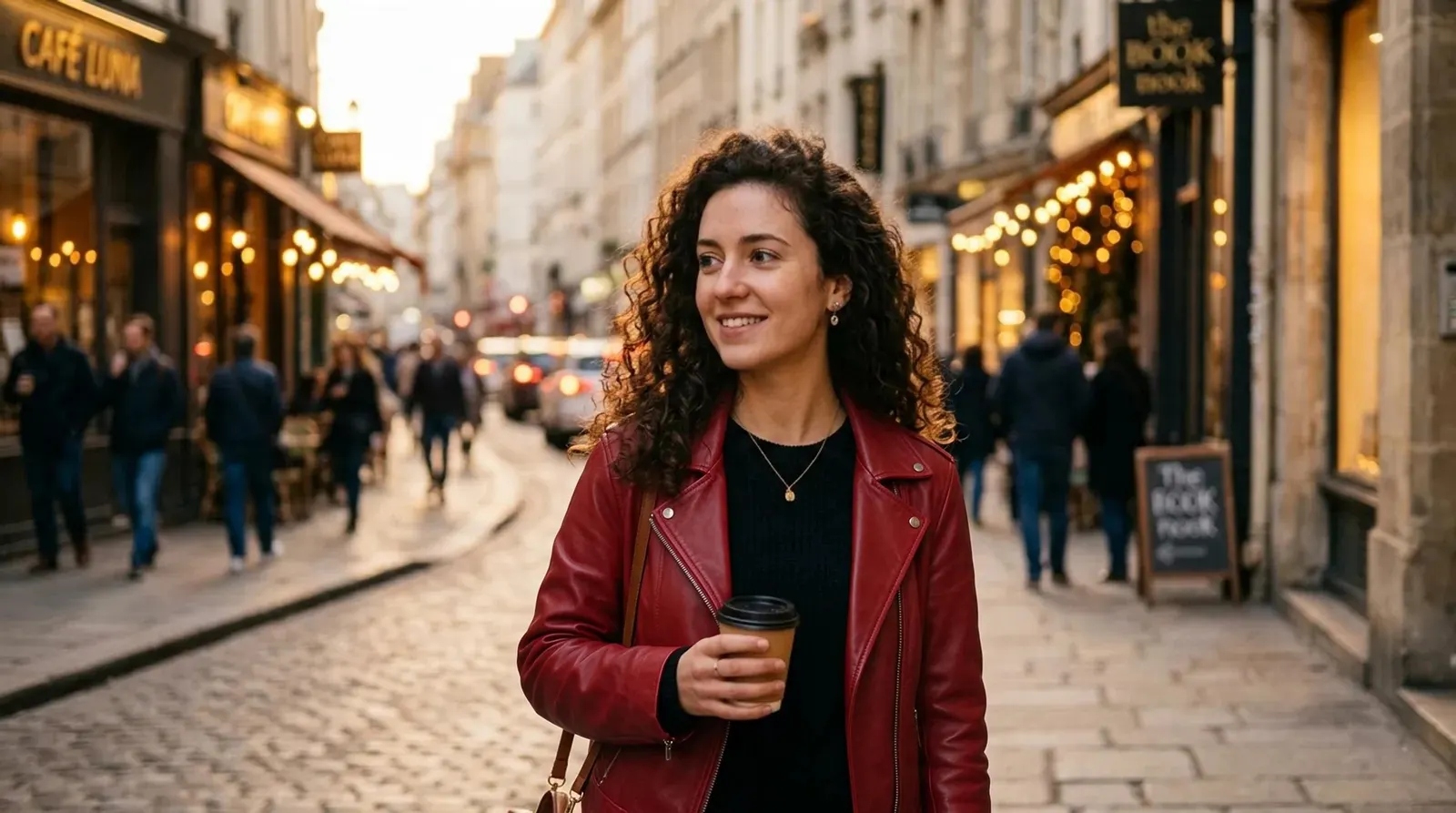
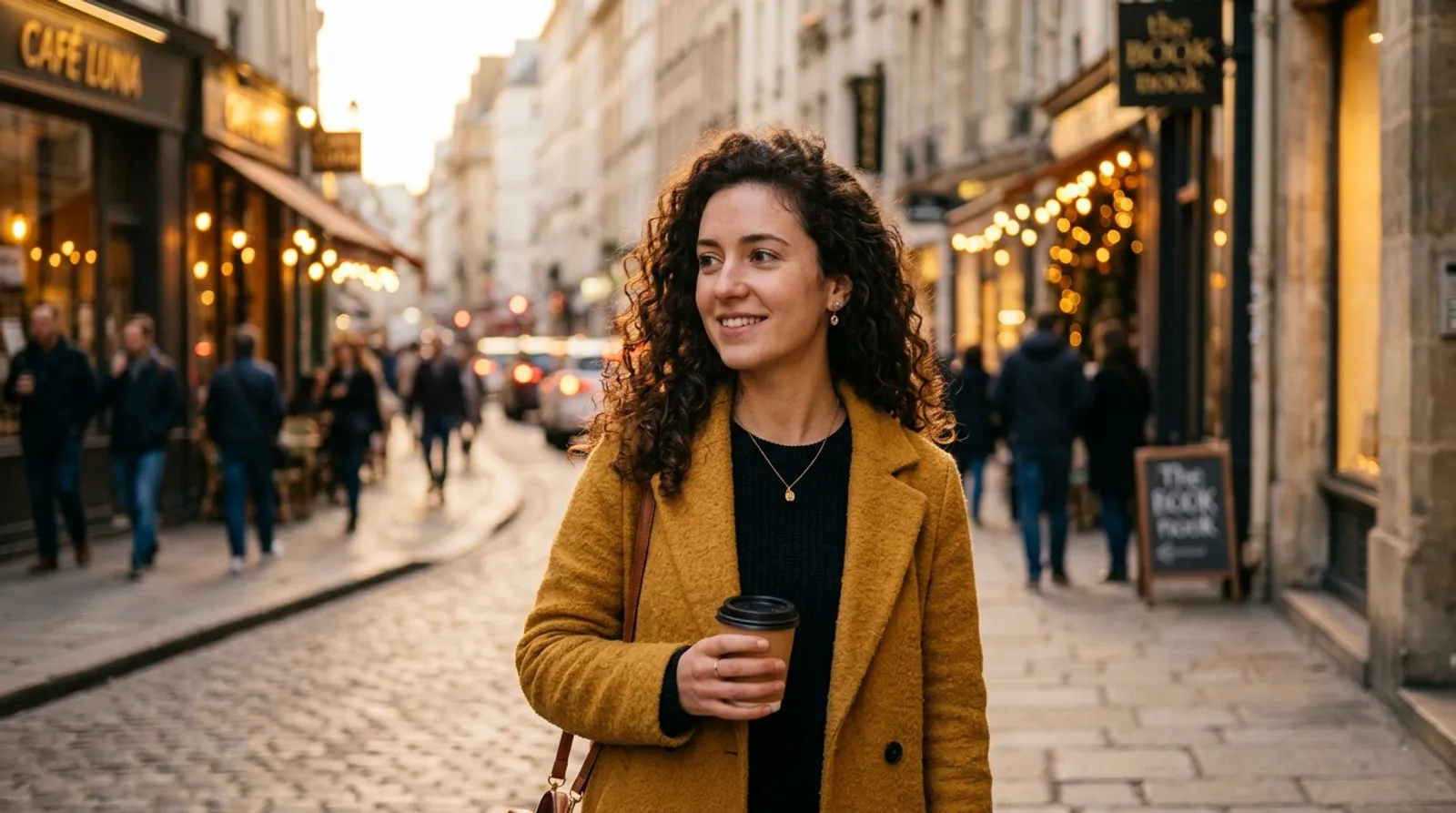
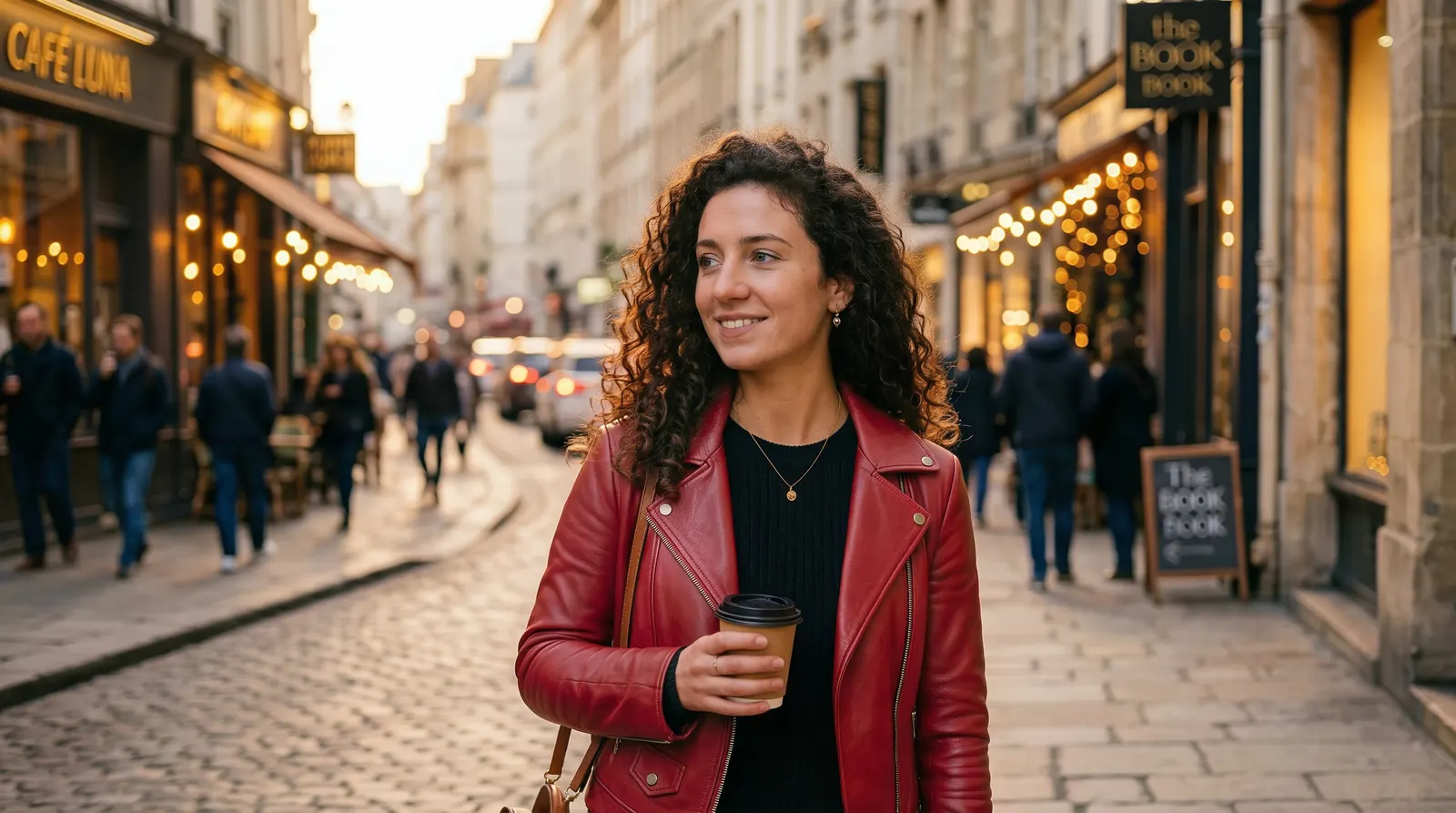
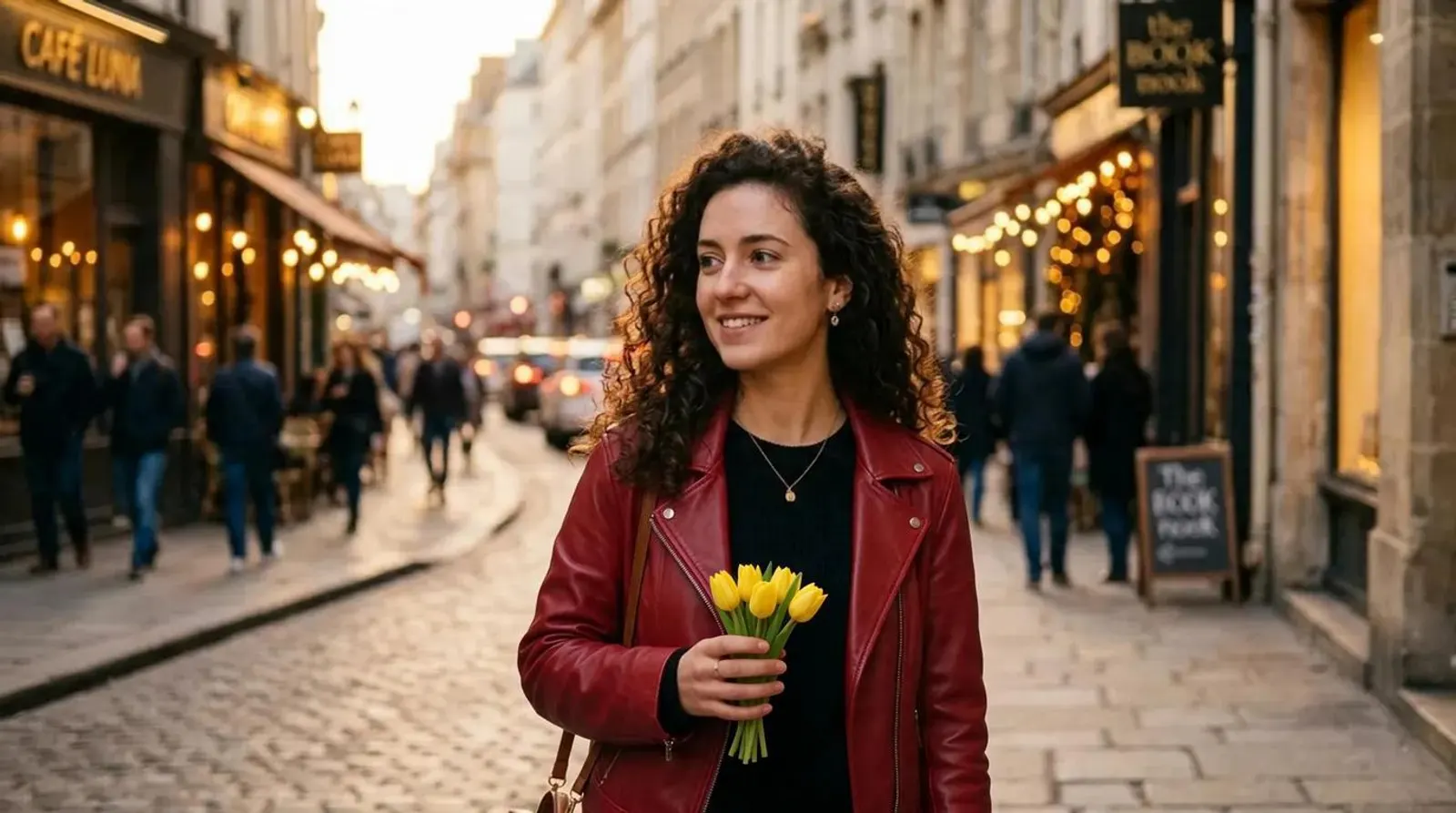
Engines for this tool
Each engine has a different look, speed and price. The exact credit cost is on the button before you generate, and failures are refunded.
Nano Banana 2
Google · Under a minute
Most faithfulGemini's image editor: keeps shapes, lines and perspective most consistently.
from 4 cr / image · Try →
Seedream 5.5
ByteDance · Under a minute
NewestByteDance's newest image model: it changes what you ask for and leaves the rest of the picture as it was.
from 2 cr / image · Try →
Nano Banana Pro
Google · Under a minute
NewGoogle's Pro editor: the most faithful edits, text and fine detail intact, up to 4K.
from 6 cr / image · Try →
Nano Banana 2.1
Google · Under a minute
NewGoogle's newest everyday editor: quick, inexpensive, keeps the picture as it is.
from 2 cr / image · Try →
GPT Image 2
OpenAI · About a minute
NewOpenAI's image model: strong instruction following for restyling.
from 9 cr / image · Try →
Qwen Image 3.0
Alibaba · Under a minute
NewAlibaba's newest image model: edits a photo from an instruction, in Chinese or English.
from 3 cr / image · Try →
Grok Imagine Image 2.0
xAI · Under a minute
NewxAI's image model: bold, stylised edits of a photo from an instruction.
from 3 cr / image · Try →
Kling Image 4.0
Kuaishou · Under a minute
NewKling's image model: edits a photo from an instruction, at 2K or 4K.
from 3 cr / image · Try →
Seedream 4.5
ByteDance · Under a minute
Best valueFast, inexpensive edits with vivid, magazine-style styling.
from 2 cr / image · Try →
Qwen Image Edit
Alibaba · Under a minute
Precise instruction-following that returns the photo at its original size.
from 4 cr / image · Try →
Nano Banana Lite
Google · About 10 seconds
Google's efficiency editor: a small change back in about ten seconds, at 1K.
from 2 cr / image · Try →
Nano Banana 1
Google · Under a minute
The first Nano Banana, Gemini 2.5 Flash Image: the editor that started the name, at 1K.
from 2 cr / image · Try →
How it works
- 1
Add your photo
Any photo: a portrait, a product, a pet, a place. JPEG, PNG or WebP.
- 2
Say what to change
One clear instruction works best: what changes, and into what.
- 3
Compare and download
Drag across the result to check it against the original, then download or edit it again.
Plans
Start free. Upgrade for 1080p, no mark and monthly credits for the AI engines.
Starter
For creators who post every week.
$15/ month
Billed monthly · cancel any time
300 credits a month
Up to 13 Kling 3.0 Pro clips or 50 photo edits
- Unlimited Airift Motion clips and listing renders at 1080p
- 1080p exports, no watermark
- Standard engines, Kling 4.0 included
- Commercial use of everything you make
- 2 jobs at a time · 25 GB storage
Pro
Most popularFor professionals who publish every day.
$49/ month
Billed monthly · cancel any time
1,200 credits a month
Up to 52 Kling 3.0 Pro clips or 200 photo edits
- Unlimited Airift Motion clips and listing renders at 1080p
- Everything in Starter
- All engines, premium included
- Faster queue: your jobs start before Starter and Free
- Priority support
- 4 jobs at a time · 100 GB storage
Agency
For teams producing video at volume.
$129/ month
Billed monthly · cancel any time
3,150 credits a month
Up to 136 Kling 3.0 Pro clips or 525 photo edits
- Unlimited Airift Motion clips and listing renders at 1080p
- Everything in Pro
- Fastest queue: your jobs start first
- Invoice billing on request
- 8 jobs at a time · 300 GB storage
Free: 20 credits once your email is confirmed, unlimited Airift Motion clips and listing renders at 720p with a small mark, standard engines, one job at a time. Start free, no card needed.
Or pay once, no subscription
A credit pack works in every Airift tool and never expires.
Top-up
200 credits
$12 · $6.0¢ per credit
Bundle
600 credits
$32 · $5.3¢ per credit
Bulk
1,500 credits
$78 · $5.2¢ per credit
FAQs
What can I ask for?
Colours, clothing, weather, time of day, adding or swapping an object, text on a sign. One change per run gives the cleanest result; run the result again for the next change.
Will the rest of the photo change?
The engine is told to change only what you asked for. Check faces, hands and small text in the result; if something else moved, run it again or try another engine.
Is it free?
Edits use an AI engine, so they cost credits: from 1 credit with Seedream 5.5, shown on the button. Confirming your email adds 20 credits to try them; plans and packs add more.
Do I need to label edits?
Airift labels every edited picture in your library. Label it as AI-edited where you publish it too, wherever the platform or your market asks for that.
Which engine should I pick?
Seedream 5.5 holds the rest of the picture best across repeated edits, Nano Banana Pro is the most faithful to faces and text, GPT Image 2 follows a long brief, Seedream 4.5 is the most stylised, Qwen returns the original size.
What sizes do I get?
Edits come back at up to 2K, or 4K on the engines that offer it; Qwen returns the photo at its original dimensions.
Are my photos private?
Yes. Uploads and results stay in your workspace and are never published.
More tools
Image to Video
Turn a photo into a short AI video: the people, pets and places in it move.
OpenText to Video
Describe a scene and get a five- or ten-second clip.
OpenAI Background Changer
Put the subject of a photo somewhere new.
OpenAI Object Remover
Take a person or a thing out of a photo.
OpenAI Photo Filter
Redraw a photo as anime, watercolor or a 3D cartoon.
OpenText to Image
A picture from a description, in the shape your channel wants.
OpenAI Voice Generator
Type a script, pick a voice and get a natural voiceover.
OpenAI Music Generator
Describe the mood and get a finished track, with vocals or without.
OpenAI Sound Effect Generator
Describe a sound and get it as a clip, up to thirty seconds.
OpenImage to 3D
Turn a photo of an object into a textured 3D model.
OpenText to 3D
Describe an object and get a textured 3D model.
OpenCreate AI videos all in one place.
Start free, upgrade when you need the AI engines.