Kling Image 4.0 AI Image Generator and Editor: Kling's image model, at 2K or 4K
Kling's image model: edits a photo from an instruction, at 2K or 4K. Under a minute. Start free, no card: 20 credits make 6 images at 2K. Then $12 buys 66 more, or anything else on Airift. No subscription. The exact price is on the button.
Free, no card: 20 credits make 6 images like this · AI output labelled
Examples · Use template fills the desk
Made with Kling Image 4.0 in Airift
Real output from the engine, labelled, from a sample photo or prompt.
Key features of Kling Image 4.0
Edit a photo with one instruction
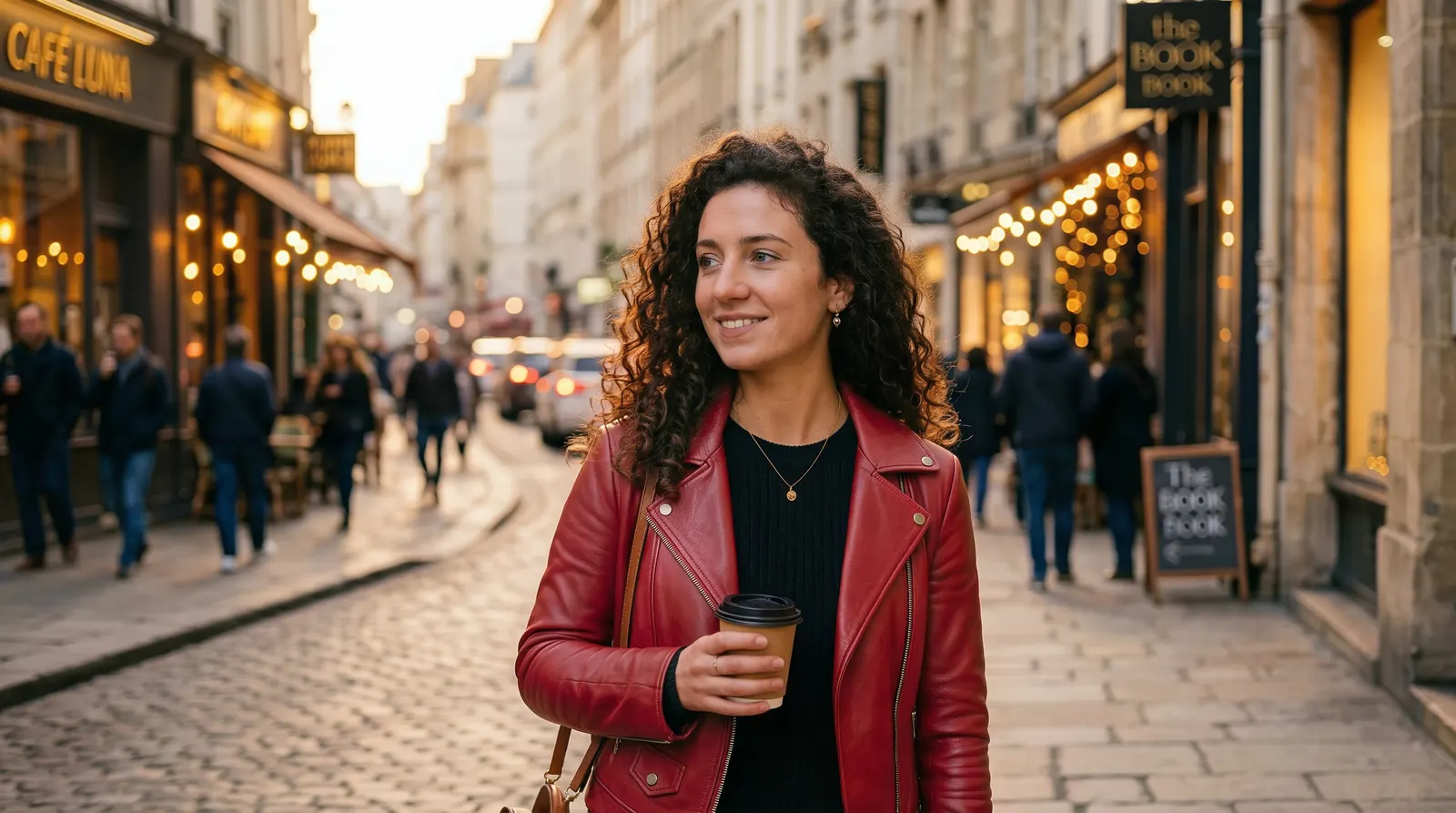
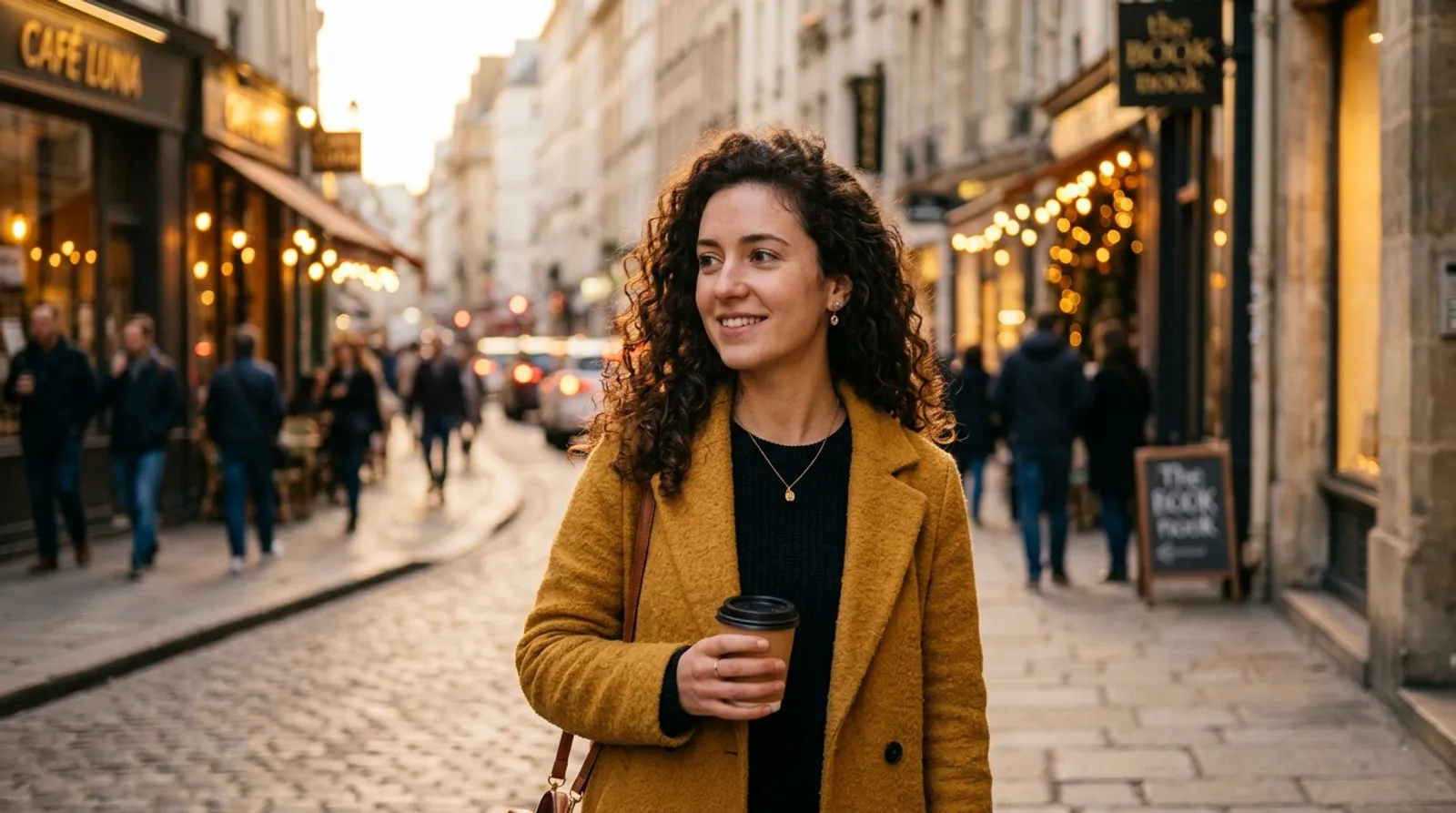
Say what should change and what should stay. Here the mustard coat becomes a red leather jacket, with a collar, zips and creases that fit how she stands. Her face, her hair, the cup in her hand and the street behind her are as they were in the photo.
Typed with the photo“Change the mustard coat to a red leather jacket. Keep her face, her hair, the cup and the street exactly as they are.”
Try it in the Photo EditorFine detail from one sentence
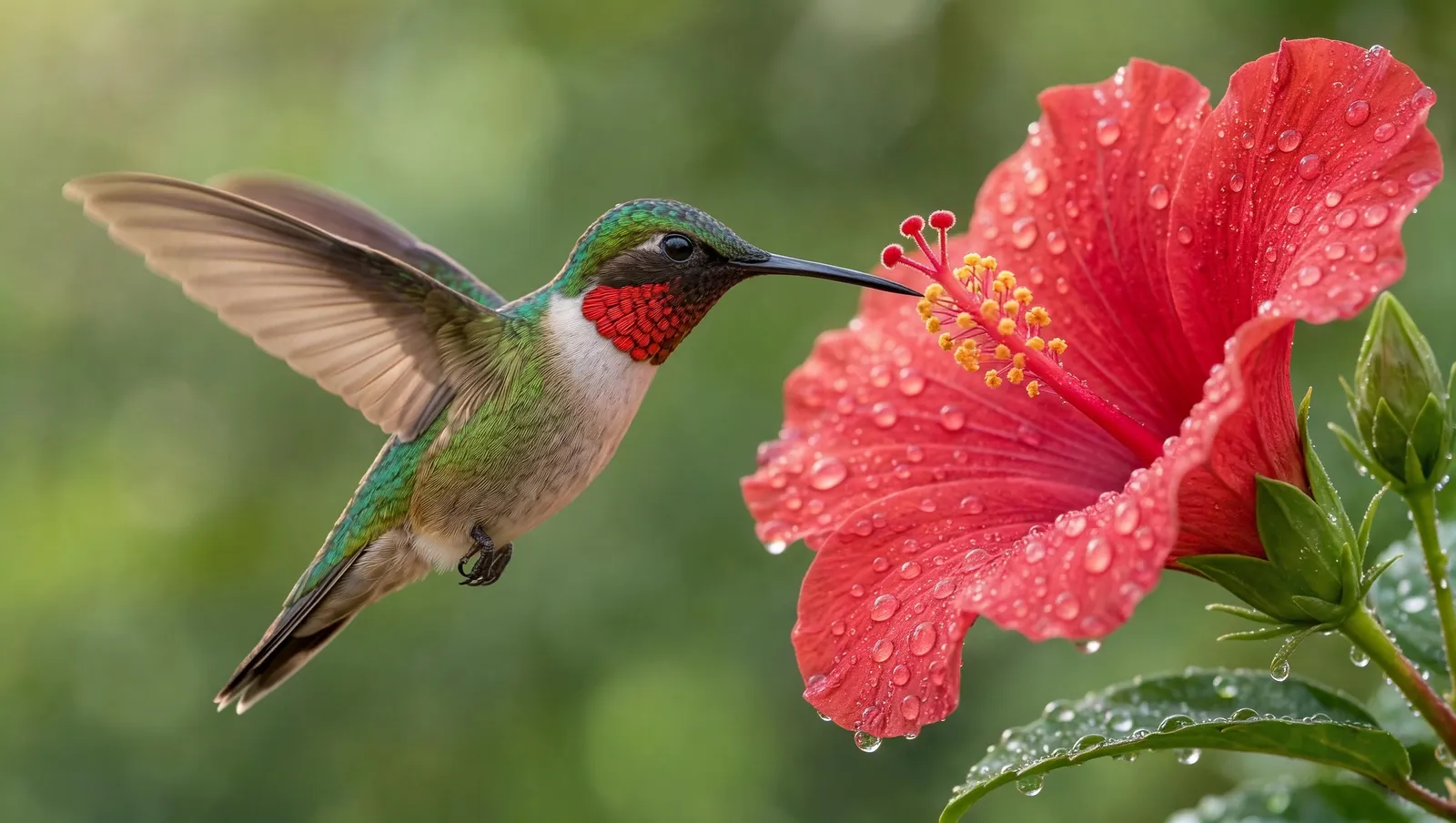
This hummingbird at a hibiscus flower came from a single sentence. The feathers on its throat, the pollen on the stamen and the water drops on the petals are all sharp at full size. Pictures come at 2K, or at 4K when you need to print or crop.
Typed“Macro photo of a hummingbird hovering at a red hibiscus flower, every feather sharp, water droplets on the petals, soft green background, morning light, photorealistic.”
Try it in Text to ImageWhy Kling Image 4.0
Detailed · Newest Kling image model · Keeps the subject · 2K or 4K
Kling's image model: edits a photo from an instruction, at 2K or 4K.
From 3 credits
photo · One edited photo (2K): 3; photo · One edited photo (4K): 4; text · One picture (2K): 3; text · One picture (4K): 4 credits. Failed jobs are refunded.
Under a minute
Typical time per job, longer at busy times. Jobs keep running if you leave the page.
Labelled, private
Every result says it was made with Kling Image 4.0 and stays in your own library.
Kling Image 4.0 vs Seedream 5.5 vs Nano Banana 2.1
Figures are what each model does and costs in Airift today.
| Kling Image 4.0 | Seedream 5.5 | Nano Banana 2.1 | |
|---|---|---|---|
| Made by | Kuaishou | ByteDance | |
| Works from | a photo or a sentence | a photo or a sentence | a photo or a sentence |
| Sizes | 2K, 4K | 1K, 2K | 1K, 2K, 4K |
| Price | From 3 credits per image at 2K | 2 credits per image | From 2 credits per image at 1K |
| On the free credits | 6 images | 10 images | 10 images |
| Typical time | Under a minute | Under a minute | Under a minute |
How to use Kling Image 4.0 online
- 1
Add your photo
The desk above is pinned to Kling Image 4.0: add a photo, or write a sentence, and it switches.
- 2
Say what to change
The credit price on the button updates as you change the settings.
- 3
Generate
The result lands in your library, labelled with the engine.
What Kling Image 4.0 costs in Airift
Start free, no card: 20 credits make 6 images at 2K. Then $12 buys 66 more, or anything else on Airift. No subscription. Credits are one wallet for every Airift tool, and a failed job returns its credits.
Your first 6 images
Free
- 20 credits when you confirm your email
- 3 credits per image at 2K; the rest stay for any tool
- A small Airift mark on the result
- No card
More with Kling Image 4.0
$12
- 66 images at 2K (200 credits), $0.18 per image
- Or 6 Hug videos, 40 photo edits or 22 Kling 2.5 Turbo clips from any photo: one wallet for every Airift tool
- Pay once; credits never expire
- No Airift mark on what you make after buying
Every setting, in credits
- photo · One edited photo (2K)
- 3 credits
- photo · One edited photo (4K)
- 4 credits
- text · One picture (2K)
- 3 credits
- text · One picture (4K)
- 4 credits
Bigger packs: $32 for 200 images, $78 for 500 images. Secure checkout by Stripe. All plans and packs
FAQs
What is Kling Image 4.0?
Kling Image 4.0 is the image model from Kuaishou's Kling team, the makers of the Kling video models. It edits a photo from an instruction and makes a picture from a sentence. The full model also makes 8K pictures, long images for web pages and sets of up to 10 matching pictures; what Airift runs is in the next answer.
Which Kling Image 4.0 features does Airift run?
Editing one photo from an instruction, and making one picture from a sentence, at 2K or 4K. Sets of matching pictures, long images, 8K and several reference photos in one edit are not in Airift yet.
How much does Kling Image 4.0 cost in Airift?
photo · One edited photo (2K): 3 credits; photo · One edited photo (4K): 4 credits; text · One picture (2K): 3 credits; text · One picture (4K): 4 credits. Failed jobs are refunded automatically.
When should I use Kling Image 4.0?
Kling's image model: edits a photo from an instruction, at 2K or 4K. Strengths: newest kling image model, keeps the subject, 2k or 4k. Pick it when the job needs those.
Kling Image 4.0 vs Seedream 5.5: which should I use?
Kling Image 4.0: Kling's image model: edits a photo from an instruction, at 2K or 4K. Seedream 5.5: ByteDance's newest image model: it changes what you ask for and leaves the rest of the picture as it was. In Airift, Kling Image 4.0 costs from 3 credits per image at 2K and Seedream 5.5 2 credits per image. Run the same photo or sentence through both and keep the one you prefer.
Kling Image 4.0 vs Nano Banana 2.1: which should I use?
Kling Image 4.0: Kling's image model: edits a photo from an instruction, at 2K or 4K. Nano Banana 2.1: Google's newest everyday editor: quick, inexpensive, keeps the picture as it is. In Airift, Kling Image 4.0 costs from 3 credits per image at 2K and Nano Banana 2.1 from 2 credits per image at 1K. Run the same photo or sentence through both and keep the one you prefer.
Is Kling Image 4.0 unlimited in Airift?
No. Kling Image 4.0 runs on credits, from 3 credits per image at 2K, and the exact price is on the button before you generate.
Can I try Kling Image 4.0 free?
Yes. Start free, no card: 20 credits make 6 images at 2K. Then $12 buys 66 more, or anything else on Airift. No subscription. The free result carries a small Airift mark; what you make after buying a pack does not.
Which sizes does it make?
16:9, 9:16, 1:1, 4:5 at 2K or 4K.
Will the rest of the photo change?
Engines are instructed to change only what you asked for. Review each result; if something else moved, regenerate or try another engine.
Do I need to label edits?
Airift labels every edited picture in your library. Label it as AI-edited where you publish it too, wherever the platform or your market asks for that.
Tools that run Kling Image 4.0
AI Photo Editor
Change a photo with one sentence and keep the rest.
OpenAI Background Changer
Put the subject of a photo somewhere new.
OpenAI Object Remover
Take a person or a thing out of a photo.
OpenAI Photo Filter
Redraw a photo as anime, watercolor or a 3D cartoon.
OpenText to Image
A picture from a description, in the shape your channel wants.
OpenDiscover more image engines
Seedream 5.5
ByteDance · Image edit · Text to image
NewestByteDance's newest image model: it changes what you ask for and leaves the rest of the picture as it was.
From 1 cr · Under a minute · Try →
Nano Banana Pro
Google · Image edit · Text to image
NewGoogle's Pro editor: the most faithful edits, text and fine detail intact, up to 4K.
From 6 cr · Under a minute · Try →
Nano Banana 2.1
Google · Image edit · Text to image
NewGoogle's newest everyday editor: quick, inexpensive, keeps the picture as it is.
From 2 cr · Under a minute · Try →
Nano Banana 2
Google · Image edit · Text to image
Gemini's image editor: keeps shapes, lines and perspective most consistently.
From 4 cr · Under a minute · Try →
Nano Banana Lite
Google · Image edit · Text to image
NewGoogle's efficiency editor: a small change back in about ten seconds, at 1K.
From 2 cr · About 10 seconds · Try →
Nano Banana 1
Google · Image edit · Text to image
The first Nano Banana, Gemini 2.5 Flash Image: the editor that started the name, at 1K.
From 2 cr · Under a minute · Try →