Living room glide
A lateral gimbal slide that shows the room's width and light. The move, the engine and the look are set: add your photo and press Create.
Free, no card: 20 credits make 2 clips like this · AI output labelled
Examples · Use template fills the desk
Living room glide: the move and the photos it suits
- What a living room glide is
- A lateral glide slides the camera sideways across the room, as a gimbal operator would walk it. Furniture near the lens passes faster than the far wall, and that shows how wide the room is.
- Photos that suit it
- A living room shot from a corner or a doorway, with furniture in the foreground and windows on the far side.
- Photos that do not
- A photo taken square to a wall, with nothing near the camera. A very dark room.
- What to write
- Mention the daylight, such as “sunlight through the windows”, and leave the furniture out of the words so nothing gets rearranged.
Why Airift for living room glide
Camera: Pan right
Glide across the scene to the right
Best for: Living room
sunlight through the windows
Engine: Kling 2.5 Turbo
Cinematic motion and natural parallax; a strong all-rounder.
From 9 credits
Per clip; the exact figure is on the button. Failed jobs are refunded.
The move on a sample photo
Rendered in Airift from the photo shown in the desk.
Or pick another engine
Each engine has a different look, speed and price. The exact credit cost is on the button before you generate, and failures are refunded.
Seedance 1.0 Pro Fast
ByteDance · About 1 minute
Best valueQuick, steady AI camera moves with real depth at the lowest AI price.
from 5 cr / 5 s · Try →
Airift Motion
Airift · About 10 seconds
FreeA smooth virtual camera move across your photo. Nothing in the picture changes.
Free · Try →
Seedance 2.5
ByteDance · 2–4 minutes
NewestByteDance's newest Seedance, hosted in the US: the most detailed motion in the family.
from 119 cr / 5 s · Try →
How it works
- 1
Add your photo
A photo of this kind works best; any photo works.
- 2
Keep the engine or change it
The move is set for this effect; switch the engine before you create if you want another look.
- 3
Create and download
The clip lands in your library in every shape your channels want.
What a living room glide clip costs
A living room glide clip on Kling 2.5 Turbo costs from 9 credits; the button shows the exact figure for the length and size you pick. A 200-credit pack costs $12 and makes up to 22 of them; a failed job returns its credits.
FAQs
Which photo works best for a living room glide?
A living room shot from a corner or a doorway, with furniture in the foreground and windows on the far side. Less suited: a photo taken square to a wall, with nothing near the camera. A very dark room.
What does a living room glide clip cost?
A living room glide clip on Kling 2.5 Turbo costs from 9 credits; the button shows the exact figure for the length and size you pick. A 200-credit pack costs $12 and makes up to 22 of them; a failed job returns its credits.
Is it free?
Yes, to start. A new account gets 20 credits with no card: 4 clips of 5 seconds from a photo on Seedance 1.0 Pro Fast. The first is ready to run the moment you sign up; the rest arrive when you confirm your email. Free clips are 720p with a small Airift mark. Airift Motion, a camera move over the still, is free and unlimited.
Can I use the clips commercially?
Yes on paid plans, subject to the terms and each engine's usage policy.
What if I am not satisfied?
A failed job is refunded automatically. A finished clip you dislike can be regenerated with another move or engine.
More camera moves
All effects →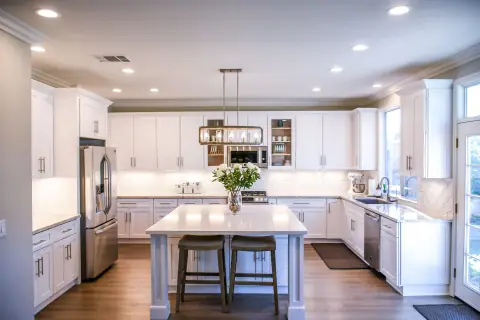 28 crMake thisKitchen walkthroughWalk into the kitchen past the island, with real parallax.
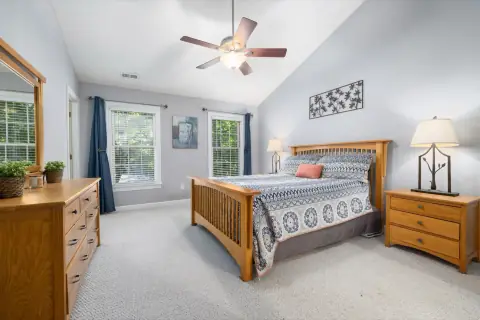 FreeMake thisPrimary suite pull-backEase back from the bed to reveal the whole suite.
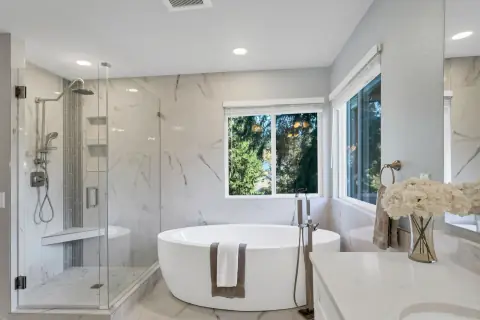 10 crMake thisSpa bathroomA gentle push toward the tub for a calm, spa-like feel.
 34 crMake thisCrash zoomA sudden zoom from the wide frame to the eyes: the shot that opens a reel.
 28 crMake thisPortrait arcA slow arc around a person while the background slides behind them.
 26 crMake thisDolly zoomThe Hitchcock move: the background stretches away while the face holds still.